<?xml version="1.0" encoding="utf-8"?><feed xmlns="http://www.w3.org/2005/Atom" xml:lang="en"><generator uri="https://jekyllrb.com/" version="4.4.1">Jekyll</generator><link href="https://wforney.github.io/feed.xml" rel="self" type="application/atom+xml" /><link href="https://wforney.github.io/" rel="alternate" type="text/html" hreflang="en" /><updated>2026-03-29T17:28:14-07:00</updated><id>https://wforney.github.io/feed.xml</id><title type="html">William Forney</title><subtitle>Personal blog of William Forney — software engineer, architect, and developer. Writing about .NET, cloud, architecture, and more.</subtitle><entry><title type="html">Update on .NET Packages for Shared Code</title><link href="https://wforney.github.io/2025/02/23/update-on-net-packages-for-shared-code/" rel="alternate" type="text/html" title="Update on .NET Packages for Shared Code" /><published>2025-02-23T00:00:00-08:00</published><updated>2025-02-23T00:00:00-08:00</updated><id>https://wforney.github.io/2025/02/23/update-on-net-packages-for-shared-code</id><content type="html" xml:base="https://wforney.github.io/2025/02/23/update-on-net-packages-for-shared-code/"><![CDATA[<p>Hello all, it’s been a while. I have fixed the build for my <a href="https://github.com/improvgroup/sharedcode">improvgroup/sharedcode on GitHub</a> <a href="https://www.nuget.org/profiles/wforney">NuGet packages</a> and pushed a new package update targeting .NET 9 primarily. It should still work with .NET 8 as well. I dropped support for 6 and 7 since they are also out of support from Microsoft at this point. The .NET Core releases are going out much faster than in the old days, so I’ll try to keep these libraries relevant and working in newer versions. I may split some functionality and release a .NET Standard package that could support older projects when I have some free time.</p>

<p>Contributions and suggestions are always welcome. I try to add functionality that complements what’s out there and remove things that I find are better left to other libraries or the framework itself.</p>

<p>That is all for now. Please feel free to leave me issues or feedback on <a href="https://github.com/improvgroup/sharedcode">improvgroup/sharedcode on GitHub</a>.</p>]]></content><author><name></name></author><category term="Development" /><category term="Computers and Internet" /><category term=".NET" /><category term="GitHub" /><category term="NuGet" /><category term="shared code" /><summary type="html"><![CDATA[Hello all, it’s been a while. I have fixed the build for my improvgroup/sharedcode on GitHub NuGet packages and pushed a new package update targeting .NET 9 primarily. It should still work with .NET 8 as well. I dropped support for 6 and 7 since they are also out of support from Microsoft at this point. The .NET Core releases are going out much faster than in the old days, so I’ll try to keep these libraries relevant and working in newer versions. I may split some functionality and release a .NET Standard package that could support older projects when I have some free time.]]></summary><media:thumbnail xmlns:media="http://search.yahoo.com/mrss/" url="https://wforney.github.io/assets/img/posts/pexels-photo-270348.jpeg" /><media:content medium="image" url="https://wforney.github.io/assets/img/posts/pexels-photo-270348.jpeg" xmlns:media="http://search.yahoo.com/mrss/" /></entry><entry><title type="html">How to map an IDataRecord to an entity class object using expressions</title><link href="https://wforney.github.io/2020/09/27/how-to-map-an-idatarecord-to-an-entity-class-object-without-using-reflection/" rel="alternate" type="text/html" title="How to map an IDataRecord to an entity class object using expressions" /><published>2020-09-27T00:00:00-07:00</published><updated>2020-09-27T00:00:00-07:00</updated><id>https://wforney.github.io/2020/09/27/how-to-map-an-idatarecord-to-an-entity-class-object-without-using-reflection</id><content type="html" xml:base="https://wforney.github.io/2020/09/27/how-to-map-an-idatarecord-to-an-entity-class-object-without-using-reflection/"><![CDATA[<p>Recently I had a need to map an IDataRecord to an entity class object in C#. Here is the code for reference… First, we need the method that generates a function to map the properties while handling DBNull.</p>

<div class="language-plaintext highlighter-rouge"><div class="highlight"><pre class="highlight"><code><table class="rouge-table"><tbody><tr><td class="rouge-gutter gl"><pre class="lineno">1
2
3
4
5
6
7
8
9
10
11
12
13
14
15
16
17
18
19
20
21
22
23
24
25
26
27
28
29
30
31
32
33
34
35
36
37
38
39
40
41
42
43
44
45
46
47
48
49
50
51
52
53
54
55
56
57
58
59
60
61
62
63
64
65
66
67
68
69
70
71
72
</pre></td><td class="rouge-code"><pre>        private static Func&lt;IDataReader, T&gt; GenerateMapFunction&lt;T&gt;(IDataReader dataReader)
        {
            if (dataReader is null)
            {
                throw new ArgumentNullException(nameof(dataReader));
            }

            var expressions = new List&lt;Expression&gt;();

            var dataReaderParameterExpression = Expression.Parameter(typeof(IDataRecord), "o7thDR");

            var targetExpression = Expression.Variable(typeof(T));

            expressions.Add(Expression.Assign(targetExpression, Expression.New(targetExpression.Type)));

            // does int based lookup
            var indexerInfo = typeof(IDataRecord).GetProperty("Item", new[] { typeof(int) });

            var columnNames = Enumerable.Range(0, dataReader.FieldCount)
                                        .Select(index =&gt; new { index, name = dataReader.GetName(index) });

            foreach (var column in columnNames)
            {
                var property = targetExpression.Type.GetProperty(
                    column.name,
                    BindingFlags.Public | BindingFlags.Instance | BindingFlags.IgnoreCase);
                if (property is null)
                {
                    continue;
                }

                // index
                var columnIndexExpression = Expression.Constant(column.index);

                // reader
                var readerPropertyExpression = Expression.MakeIndex(
                    dataReaderParameterExpression, indexerInfo, new[] { columnIndexExpression });

                // reader.IsDBNull(index);
                var isReaderDbNull = Expression.Call(
                    dataReaderParameterExpression, nameof(IDataReader.IsDBNull), null, columnIndexExpression);

                // reader as PropertyType;
                var safeCastExpression = Expression.TypeAs(
                    readerPropertyExpression,
                    property.PropertyType);

                // T.Property
                var targetPropertyExpression = Expression.Property(targetExpression, property);

                // T.Property = reader.IsDBNull(index) ? default(PropertyType) :
                // (PropertyType)reader as PropertyType;
                var assignmentBlock = Expression.Condition(
                    Expression.IsTrue(isReaderDbNull),
                    Expression.Assign(
                        targetPropertyExpression,
                        Expression.Default(property.PropertyType)),
                    Expression.Assign(
                        targetPropertyExpression,
                        Expression.Convert(safeCastExpression, property.PropertyType)));

                expressions.Add(assignmentBlock);
            }

            expressions.Add(targetExpression);

            return Expression.Lambda&lt;Func&lt;IDataReader, T&gt;&gt;(
                Expression.Block(
                    new[] { targetExpression },
                    expressions),
                dataReaderParameterExpression).Compile();
        }
</pre></td></tr></tbody></table></code></pre></div></div>

<p>Next we need the function that calls the above…</p>

<div class="language-plaintext highlighter-rouge"><div class="highlight"><pre class="highlight"><code><table class="rouge-table"><tbody><tr><td class="rouge-gutter gl"><pre class="lineno">1
2
3
4
5
6
7
8
9
10
11
12
13
14
15
16
</pre></td><td class="rouge-code"><pre>        public static T? Map&lt;T&gt;(this IDataReader dataReader) where T : class
        {
            if (dataReader is null)
            {
                return default;
            }

            //// Use the following loop for debugging field data types in your entity classes.
            //for (var i = 0; i &lt; dataReader.FieldCount; i++)
            //{
            //    Trace.TraceInformation($"{i}:{dataReader.GetName(i)} = {dataReader.GetFieldType(i).Name}");
            //}

            var converter = GenerateMapFunction&lt;T&gt;(dataReader);
            return converter(dataReader);
        }
</pre></td></tr></tbody></table></code></pre></div></div>

<p>This does the job for a single row, but we want all the rows in the reader, right? For that we need this one…</p>

<div class="language-plaintext highlighter-rouge"><div class="highlight"><pre class="highlight"><code><table class="rouge-table"><tbody><tr><td class="rouge-gutter gl"><pre class="lineno">1
2
3
4
5
6
7
8
9
10
11
12
13
14
15
16
17
18
</pre></td><td class="rouge-code"><pre>        public static List&lt;T&gt; ToList&lt;T&gt;(this IDataReader dataReader) where T : class  
        {  
            var list = new List&lt;T&gt;();  
  
            if (dataReader is not null)  
            {  
                while (dataReader.Read())  
                {  
                    var row = Map&lt;T&gt;(dataReader);  
                    if (row is not null)  
                    {  
                        list.Add(row);  
                    }  
                }  
            }  
  
            return list;  
        }
</pre></td></tr></tbody></table></code></pre></div></div>

<p>That’s it… It doesn’t use the async API of the data reader for the read… We might want an async version too…</p>

<div class="language-plaintext highlighter-rouge"><div class="highlight"><pre class="highlight"><code><table class="rouge-table"><tbody><tr><td class="rouge-gutter gl"><pre class="lineno">1
2
3
4
5
6
7
8
9
10
11
12
13
14
15
16
17
18
19
20
</pre></td><td class="rouge-code"><pre>        public static async Task&lt;List&lt;T&gt;&gt; ToListAsync&lt;T&gt;(  
            this DbDataReader dataReader,  
            CancellationToken cancellationToken = default) where T : class  
        {  
            var list = new List&lt;T&gt;();  
  
            if (dataReader is not null)  
            {  
                while (await dataReader.ReadAsync(cancellationToken).ConfigureAwait(false))  
                {  
                    var row = Map&lt;T&gt;(dataReader);  
                    if (row is not null)  
                    {  
                        list.Add(row);  
                    }  
                }  
            }  
  
            return list;  
        }  
</pre></td></tr></tbody></table></code></pre></div></div>

<p>But what if we don’t want to pull the whole list all at once? Then you need this…</p>

<div class="language-plaintext highlighter-rouge"><div class="highlight"><pre class="highlight"><code><table class="rouge-table"><tbody><tr><td class="rouge-gutter gl"><pre class="lineno">1
2
3
4
5
6
7
8
9
10
11
12
13
14
15
16
17
18
</pre></td><td class="rouge-code"><pre>        public static async IAsyncEnumerable&lt;T&gt; EnumerateAsync&lt;T&gt;(  
            this DbDataReader dataReader,  
             CancellationToken cancellationToken = default) where T : class  
        {  
            if (dataReader is null)  
            {  
                yield break;  
            }  
  
            while (await dataReader.ReadAsync(cancellationToken).ConfigureAwait(false))  
            {  
                var row = Map&lt;T&gt;(dataReader);  
                if (row is not null)  
                {  
                    yield return row;  
                }  
            }  
        }  
</pre></td></tr></tbody></table></code></pre></div></div>

<p>Oh, but what if you want a blocking version of that?</p>

<div class="language-plaintext highlighter-rouge"><div class="highlight"><pre class="highlight"><code><table class="rouge-table"><tbody><tr><td class="rouge-gutter gl"><pre class="lineno">1
2
3
4
5
6
7
8
9
10
11
12
13
14
15
16
</pre></td><td class="rouge-code"><pre>        public static IEnumerable&lt;T&gt; Enumerate&lt;T&gt;(this DbDataReader dataReader) where T : class  
        {  
            if (dataReader is null)  
            {  
                yield break;  
            }  
  
            while (dataReader.Read())  
            {  
                var row = Map&lt;T&gt;(dataReader);  
                if (row is not null)  
                {  
                    yield return row;  
                }  
            }  
        }  
</pre></td></tr></tbody></table></code></pre></div></div>

<p>Hopefully, part of this will come in handy for someone as it was for me.</p>

<p>The code for this is available on <a href="https://github.com/improvgroup/sharedcode">improvgroup/sharedcode on GitHub</a> and via <a href="https://www.nuget.org/packages/SharedCode.Data/">SharedCode.Data on NuGet</a>.</p>]]></content><author><name></name></author><category term="Development" /><category term="Computers and Internet" /><category term="C#" /><category term="DbDataRecord" /><category term="DBNull" /><category term="IDataRecord" /><category term="Map" /><summary type="html"><![CDATA[Recently I had a need to map an IDataRecord to an entity class object in C#. Here is the code for reference… First, we need the method that generates a function to map the properties while handling DBNull. 1 2 3 4 5 6 7 8 9 10 11 12 13 14 15 16 17 18 19 20 21 22 23 24 25 26 27 28 29 30 31 32 33 34 35 36 37 38 39 40 41 42 43 44 45 46 47 48 49 50 51 52 53 54 55 56 57 58 59 60 61 62 63 64 65 66 67 68 69 70 71 72 private static Func&lt;IDataReader, T&gt; GenerateMapFunction&lt;T&gt;(IDataReader dataReader) { if (dataReader is null) { throw new ArgumentNullException(nameof(dataReader)); } var expressions = new List&lt;Expression&gt;(); var dataReaderParameterExpression = Expression.Parameter(typeof(IDataRecord), "o7thDR"); var targetExpression = Expression.Variable(typeof(T)); expressions.Add(Expression.Assign(targetExpression, Expression.New(targetExpression.Type))); // does int based lookup var indexerInfo = typeof(IDataRecord).GetProperty("Item", new[] { typeof(int) }); var columnNames = Enumerable.Range(0, dataReader.FieldCount) .Select(index =&gt; new { index, name = dataReader.GetName(index) }); foreach (var column in columnNames) { var property = targetExpression.Type.GetProperty( column.name, BindingFlags.Public | BindingFlags.Instance | BindingFlags.IgnoreCase); if (property is null) { continue; } // index var columnIndexExpression = Expression.Constant(column.index); // reader var readerPropertyExpression = Expression.MakeIndex( dataReaderParameterExpression, indexerInfo, new[] { columnIndexExpression }); // reader.IsDBNull(index); var isReaderDbNull = Expression.Call( dataReaderParameterExpression, nameof(IDataReader.IsDBNull), null, columnIndexExpression); // reader as PropertyType; var safeCastExpression = Expression.TypeAs( readerPropertyExpression, property.PropertyType); // T.Property var targetPropertyExpression = Expression.Property(targetExpression, property); // T.Property = reader.IsDBNull(index) ? default(PropertyType) : // (PropertyType)reader as PropertyType; var assignmentBlock = Expression.Condition( Expression.IsTrue(isReaderDbNull), Expression.Assign( targetPropertyExpression, Expression.Default(property.PropertyType)), Expression.Assign( targetPropertyExpression, Expression.Convert(safeCastExpression, property.PropertyType))); expressions.Add(assignmentBlock); } expressions.Add(targetExpression); return Expression.Lambda&lt;Func&lt;IDataReader, T&gt;&gt;( Expression.Block( new[] { targetExpression }, expressions), dataReaderParameterExpression).Compile(); }]]></summary><media:thumbnail xmlns:media="http://search.yahoo.com/mrss/" url="https://wforney.github.io/assets/img/posts/pexels-photo-546819.jpeg" /><media:content medium="image" url="https://wforney.github.io/assets/img/posts/pexels-photo-546819.jpeg" xmlns:media="http://search.yahoo.com/mrss/" /></entry><entry><title type="html">STAThread async/await got you down?</title><link href="https://wforney.github.io/2020/09/27/stathread-async-await-got-you-down/" rel="alternate" type="text/html" title="STAThread async/await got you down?" /><published>2020-09-27T00:00:00-07:00</published><updated>2020-09-27T00:00:00-07:00</updated><id>https://wforney.github.io/2020/09/27/stathread-async-await-got-you-down</id><content type="html" xml:base="https://wforney.github.io/2020/09/27/stathread-async-await-got-you-down/"><![CDATA[<p>When encountering issues with async/await while building a Windows Forms application recently I came across this helpful class that allows you to await returning to the initial (usually UI) thread…</p>

<div class="language-plaintext highlighter-rouge"><div class="highlight"><pre class="highlight"><code><table class="rouge-table"><tbody><tr><td class="rouge-gutter gl"><pre class="lineno">1
2
3
4
5
6
7
8
9
10
11
12
13
14
15
16
17
18
19
20
21
22
23
24
25
26
27
28
29
30
31
</pre></td><td class="rouge-code"><pre>public struct SynchronizationContextAwaiter : INotifyCompletion, IEquatable&lt;SynchronizationContextAwaiter&gt;
    {
        private static readonly SendOrPostCallback postCallback = state =&gt; (state as Action)?.Invoke();

        private readonly SynchronizationContext context;

        public SynchronizationContextAwaiter(SynchronizationContext context) =&gt; this.context = context;

        public bool IsCompleted =&gt; context == SynchronizationContext.Current;

        public static bool operator !=(SynchronizationContextAwaiter left, SynchronizationContextAwaiter right) =&gt;
            !(left == right);

        public static bool operator ==(SynchronizationContextAwaiter left, SynchronizationContextAwaiter right) =&gt;
            left.Equals(right);

        public override bool Equals(object? obj) =&gt;
            obj is SynchronizationContextAwaiter awaiter &amp;&amp; this.Equals(awaiter);

        public bool Equals(SynchronizationContextAwaiter other) =&gt;
            EqualityComparer&lt;SynchronizationContext&gt;.Default.Equals(this.context, other.context);

        public override int GetHashCode() =&gt; HashCode.Combine(this.context);

        [SuppressMessage("Performance", "CA1822:Mark members as static", Justification = "Reviewed.")]
        public void GetResult()
        {
        }

        public void OnCompleted(Action continuation) =&gt; context.Post(postCallback, continuation);
    }
</pre></td></tr></tbody></table></code></pre></div></div>

<p>It goes along with this extension method…</p>

<div class="language-plaintext highlighter-rouge"><div class="highlight"><pre class="highlight"><code><table class="rouge-table"><tbody><tr><td class="rouge-gutter gl"><pre class="lineno">1
2
3
4
5
6
7
</pre></td><td class="rouge-code"><pre>        /// &lt;summary&gt;
        /// Gets an awaiter for the specified synchronization context.
        /// &lt;/summary&gt;
        /// &lt;param name="context"&gt;The synchronization context.&lt;/param&gt;
        /// &lt;returns&gt;The &lt;see cref="SynchronizationContextAwaiter"/&gt;.&lt;/returns&gt;
        public static SynchronizationContextAwaiter GetAwaiter(this SynchronizationContext context) =&gt;
            new SynchronizationContextAwaiter(context);
</pre></td></tr></tbody></table></code></pre></div></div>

<p>And you use it like this…</p>

<div class="language-plaintext highlighter-rouge"><div class="highlight"><pre class="highlight"><code><table class="rouge-table"><tbody><tr><td class="rouge-gutter gl"><pre class="lineno">1
2
3
4
5
6
7
8
9
10
</pre></td><td class="rouge-code"><pre>                var syncContext = SynchronizationContext.Current; // Grab UI thread

                // TODO: Do long running async stuff here

                if (syncContext != null)
                {
                    await syncContext;
                }

                // TODO: Do original/UI thread stuff here
</pre></td></tr></tbody></table></code></pre></div></div>

<p>This is a somewhat cleaner way to handle the multi-threading problem in async methods in a STAThread application.</p>]]></content><author><name></name></author><category term="Development" /><category term="Computers and Internet" /><category term="async" /><category term="await" /><category term="C#" /><category term="STA" /><category term="SynchronizationContext" /><category term="Windows Forms" /><summary type="html"><![CDATA[When encountering issues with async/await while building a Windows Forms application recently I came across this helpful class that allows you to await returning to the initial (usually UI) thread… 1 2 3 4 5 6 7 8 9 10 11 12 13 14 15 16 17 18 19 20 21 22 23 24 25 26 27 28 29 30 31 public struct SynchronizationContextAwaiter : INotifyCompletion, IEquatable&lt;SynchronizationContextAwaiter&gt; { private static readonly SendOrPostCallback postCallback = state =&gt; (state as Action)?.Invoke(); private readonly SynchronizationContext context; public SynchronizationContextAwaiter(SynchronizationContext context) =&gt; this.context = context; public bool IsCompleted =&gt; context == SynchronizationContext.Current; public static bool operator !=(SynchronizationContextAwaiter left, SynchronizationContextAwaiter right) =&gt; !(left == right); public static bool operator ==(SynchronizationContextAwaiter left, SynchronizationContextAwaiter right) =&gt; left.Equals(right); public override bool Equals(object? obj) =&gt; obj is SynchronizationContextAwaiter awaiter &amp;&amp; this.Equals(awaiter); public bool Equals(SynchronizationContextAwaiter other) =&gt; EqualityComparer&lt;SynchronizationContext&gt;.Default.Equals(this.context, other.context); public override int GetHashCode() =&gt; HashCode.Combine(this.context); [SuppressMessage("Performance", "CA1822:Mark members as static", Justification = "Reviewed.")] public void GetResult() { } public void OnCompleted(Action continuation) =&gt; context.Post(postCallback, continuation); }]]></summary><media:thumbnail xmlns:media="http://search.yahoo.com/mrss/" url="https://wforney.github.io/assets/img/posts/pexels-photo-270348.jpeg" /><media:content medium="image" url="https://wforney.github.io/assets/img/posts/pexels-photo-270348.jpeg" xmlns:media="http://search.yahoo.com/mrss/" /></entry><entry><title type="html">Using a wait cursor doesn’t have to be hard…</title><link href="https://wforney.github.io/2020/09/27/using-a-wait-cursor-doesnt-have-to-be-hard/" rel="alternate" type="text/html" title="Using a wait cursor doesn’t have to be hard…" /><published>2020-09-27T00:00:00-07:00</published><updated>2020-09-27T00:00:00-07:00</updated><id>https://wforney.github.io/2020/09/27/using-a-wait-cursor-doesnt-have-to-be-hard</id><content type="html" xml:base="https://wforney.github.io/2020/09/27/using-a-wait-cursor-doesnt-have-to-be-hard/"><![CDATA[<p>Here is a simple disposable wait cursor class to simplify your mouse display needs…</p>

<div class="language-plaintext highlighter-rouge"><div class="highlight"><pre class="highlight"><code><table class="rouge-table"><tbody><tr><td class="rouge-gutter gl"><pre class="lineno">1
2
3
4
5
6
7
8
9
10
11
12
13
14
15
16
17
18
19
20
21
22
23
24
25
26
27
28
29
30
31
32
33
34
35
36
37
38
39
40
41
42
43
44
45
46
47
48
49
50
51
52
53
54
55
56
57
58
59
60
61
62
63
64
</pre></td><td class="rouge-code"><pre>    /// &lt;summary&gt;
    /// The WaitCursor class. Implements the &lt;see cref="IDisposable" /&gt;
    /// &lt;/summary&gt;
    /// &lt;seealso cref="IDisposable" /&gt;
    public class WaitCursor : IDisposable
    {
        /// &lt;summary&gt;
        /// The previous cursor.
        /// &lt;/summary&gt;
        private readonly Cursor previousCursor;

        /// &lt;summary&gt;
        /// A value indicating whether the class has been disposed.
        /// &lt;/summary&gt;
        private bool disposedValue;

        /// &lt;summary&gt;
        /// Initializes a new instance of the &lt;see cref="WaitCursor" /&gt; class.
        /// &lt;/summary&gt;
        public WaitCursor()
        {
            this.previousCursor = Cursor.Current;
            Cursor.Current = Cursors.WaitCursor;
        }

        /// &lt;summary&gt;
        /// Finalizes an instance of the &lt;see cref="WaitCursor" /&gt; class.
        /// &lt;/summary&gt;
        ~WaitCursor()
        {
            this.Dispose(disposing: false);
        }

        /// &lt;summary&gt;
        /// Performs application-defined tasks associated with freeing, releasing, or resetting
        /// unmanaged resources.
        /// &lt;/summary&gt;
        public void Dispose()
        {
            this.Dispose(disposing: true);
            GC.SuppressFinalize(this);
        }

        /// &lt;summary&gt;
        /// Releases unmanaged and - optionally - managed resources.
        /// &lt;/summary&gt;
        /// &lt;param name="disposing"&gt;
        /// &lt;c&gt;true&lt;/c&gt; to release both managed and unmanaged resources; &lt;c&gt;false&lt;/c&gt; to release
        /// only unmanaged resources.
        /// &lt;/param&gt;
        protected virtual void Dispose(bool disposing)
        {
            if (!this.disposedValue)
            {
                if (disposing)
                {
                }

                Cursor.Current = this.previousCursor;

                this.disposedValue = true;
            }
        }
    }
</pre></td></tr></tbody></table></code></pre></div></div>]]></content><author><name></name></author><category term="Development" /><category term="Computers and Internet" /><category term="cursor" /><category term="wait" /><category term="wait cursor" /><category term="WaitCursor" /><category term="Windows Forms" /><summary type="html"><![CDATA[Here is a simple disposable wait cursor class to simplify your mouse display needs… 1 2 3 4 5 6 7 8 9 10 11 12 13 14 15 16 17 18 19 20 21 22 23 24 25 26 27 28 29 30 31 32 33 34 35 36 37 38 39 40 41 42 43 44 45 46 47 48 49 50 51 52 53 54 55 56 57 58 59 60 61 62 63 64 /// &lt;summary&gt; /// The WaitCursor class. Implements the &lt;see cref="IDisposable" /&gt; /// &lt;/summary&gt; /// &lt;seealso cref="IDisposable" /&gt; public class WaitCursor : IDisposable { /// &lt;summary&gt; /// The previous cursor. /// &lt;/summary&gt; private readonly Cursor previousCursor; /// &lt;summary&gt; /// A value indicating whether the class has been disposed. /// &lt;/summary&gt; private bool disposedValue; /// &lt;summary&gt; /// Initializes a new instance of the &lt;see cref="WaitCursor" /&gt; class. /// &lt;/summary&gt; public WaitCursor() { this.previousCursor = Cursor.Current; Cursor.Current = Cursors.WaitCursor; } /// &lt;summary&gt; /// Finalizes an instance of the &lt;see cref="WaitCursor" /&gt; class. /// &lt;/summary&gt; ~WaitCursor() { this.Dispose(disposing: false); } /// &lt;summary&gt; /// Performs application-defined tasks associated with freeing, releasing, or resetting /// unmanaged resources. /// &lt;/summary&gt; public void Dispose() { this.Dispose(disposing: true); GC.SuppressFinalize(this); } /// &lt;summary&gt; /// Releases unmanaged and - optionally - managed resources. /// &lt;/summary&gt; /// &lt;param name="disposing"&gt; /// &lt;c&gt;true&lt;/c&gt; to release both managed and unmanaged resources; &lt;c&gt;false&lt;/c&gt; to release /// only unmanaged resources. /// &lt;/param&gt; protected virtual void Dispose(bool disposing) { if (!this.disposedValue) { if (disposing) { } Cursor.Current = this.previousCursor; this.disposedValue = true; } } }]]></summary><media:thumbnail xmlns:media="http://search.yahoo.com/mrss/" url="https://wforney.github.io/assets/img/posts/pexels-photo-301448.jpeg" /><media:content medium="image" url="https://wforney.github.io/assets/img/posts/pexels-photo-301448.jpeg" xmlns:media="http://search.yahoo.com/mrss/" /></entry><entry><title type="html">…and back to WordPress again…</title><link href="https://wforney.github.io/2020/09/12/and-back-to-wordpress-again/" rel="alternate" type="text/html" title="…and back to WordPress again…" /><published>2020-09-12T00:00:00-07:00</published><updated>2020-09-12T00:00:00-07:00</updated><id>https://wforney.github.io/2020/09/12/and-back-to-wordpress-again</id><content type="html" xml:base="https://wforney.github.io/2020/09/12/and-back-to-wordpress-again/"><![CDATA[<p>A while ago I swapped my blog to BlogEngine.NET, then to MiniBlog, then to Ghost, then back to MiniBlog. Now I’m going back to WordPress again after a decade or so. The other platforms were nice, and some were integrated well, but nobody has kept them up, or they were just side demo projects for people. At this point I wanted a platform that I can host that is relatively stable and is maintained actively. Some of the newer features are nice too.</p>]]></content><author><name></name></author><category term="Computers and Internet" /><category term="Development" /><summary type="html"><![CDATA[A while ago I swapped my blog to BlogEngine.NET, then to MiniBlog, then to Ghost, then back to MiniBlog. Now I’m going back to WordPress again after a decade or so. The other platforms were nice, and some were integrated well, but nobody has kept them up, or they were just side demo projects for people. At this point I wanted a platform that I can host that is relatively stable and is maintained actively. Some of the newer features are nice too.]]></summary></entry><entry><title type="html">Update to ASP.NET Core</title><link href="https://wforney.github.io/2018/08/19/update-to-asp-net-core/" rel="alternate" type="text/html" title="Update to ASP.NET Core" /><published>2018-08-19T00:00:00-07:00</published><updated>2018-08-19T00:00:00-07:00</updated><id>https://wforney.github.io/2018/08/19/update-to-asp-net-core</id><content type="html" xml:base="https://wforney.github.io/2018/08/19/update-to-asp-net-core/"><![CDATA[<p>Recently I updated the blog to MiniBlog.Core on ASP.NET Core. So far it seems pretty fast. I’m working on a new engine for it in my spare time using Azure Functions and blob storage. More to come when I find some time to update this.</p>]]></content><author><name></name></author><category term="Computers and Internet" /><category term="Development" /><category term="ASP.NET Core" /><category term="MiniBlog.Core" /><category term="update" /><category term="ASP.NET" /><summary type="html"><![CDATA[Recently I updated the blog to MiniBlog.Core on ASP.NET Core. So far it seems pretty fast. I’m working on a new engine for it in my spare time using Azure Functions and blob storage. More to come when I find some time to update this.]]></summary></entry><entry><title type="html">Getting Started with Aurelia on ASP.NET Core</title><link href="https://wforney.github.io/2017/05/22/getting-started-with-aurelia-on-asp-net-core/" rel="alternate" type="text/html" title="Getting Started with Aurelia on ASP.NET Core" /><published>2017-05-22T00:00:00-07:00</published><updated>2017-05-22T00:00:00-07:00</updated><id>https://wforney.github.io/2017/05/22/getting-started-with-aurelia-on-asp-net-core</id><content type="html" xml:base="https://wforney.github.io/2017/05/22/getting-started-with-aurelia-on-asp-net-core/"><![CDATA[<p><a href="http://www.aurelia.io/">Aurelia</a>, one of the leading JavaScript client frameworks for single page applications (SPAs), has been around for a while now and there are a number of resources for getting started with it. Rather than try to make yet another demo, I thought it might be fun to create a site repository that could be used as a template with a few more bells and whistles already setup. It is my hope that this will be useful not just to me, but to anyone else who wants to start a project. We’re going to use the command line tools to do this, but you can use <a href="http://www.visualstudio.com/">Visual Studio</a> if you want as well.</p>

<h2 id="setting-up-the-aspnet-core-project">Setting up the ASP.NET Core Project</h2>

<p><strong>Prerequisites</strong></p>

<ul>
  <li><a href="https://nodejs.org/en/">Node.js</a> (preferably current)</li>
  <li><a href="https://www.microsoft.com/net/core#windowscmd">ASP.NET Core SDK</a></li>
</ul>

<p><strong>Steps</strong></p>

<ol>
  <li>Create a folder for your project.</li>
  <li>Open a command prompt (cmd) in that folder.</li>
  <li>
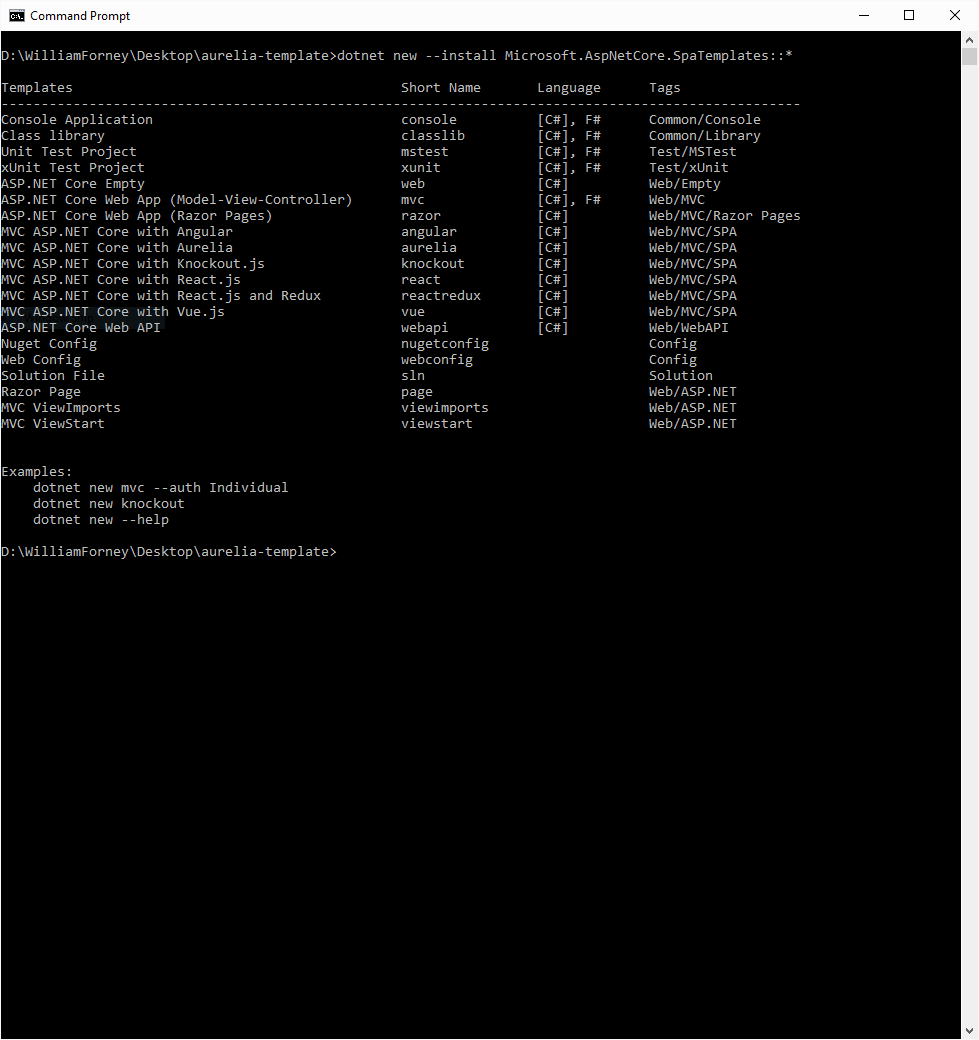
    <p>Install the SPA templates with the following command:</p>

    <div class="language-plaintext highlighter-rouge"><div class="highlight"><pre class="highlight"><code><table class="rouge-table"><tbody><tr><td class="rouge-gutter gl"><pre class="lineno">1
</pre></td><td class="rouge-code"><pre>dotnet new --install Microsoft.AspNetCore.SpaTemplates::*
</pre></td></tr></tbody></table></code></pre></div>    </div>
  </li>
</ol>

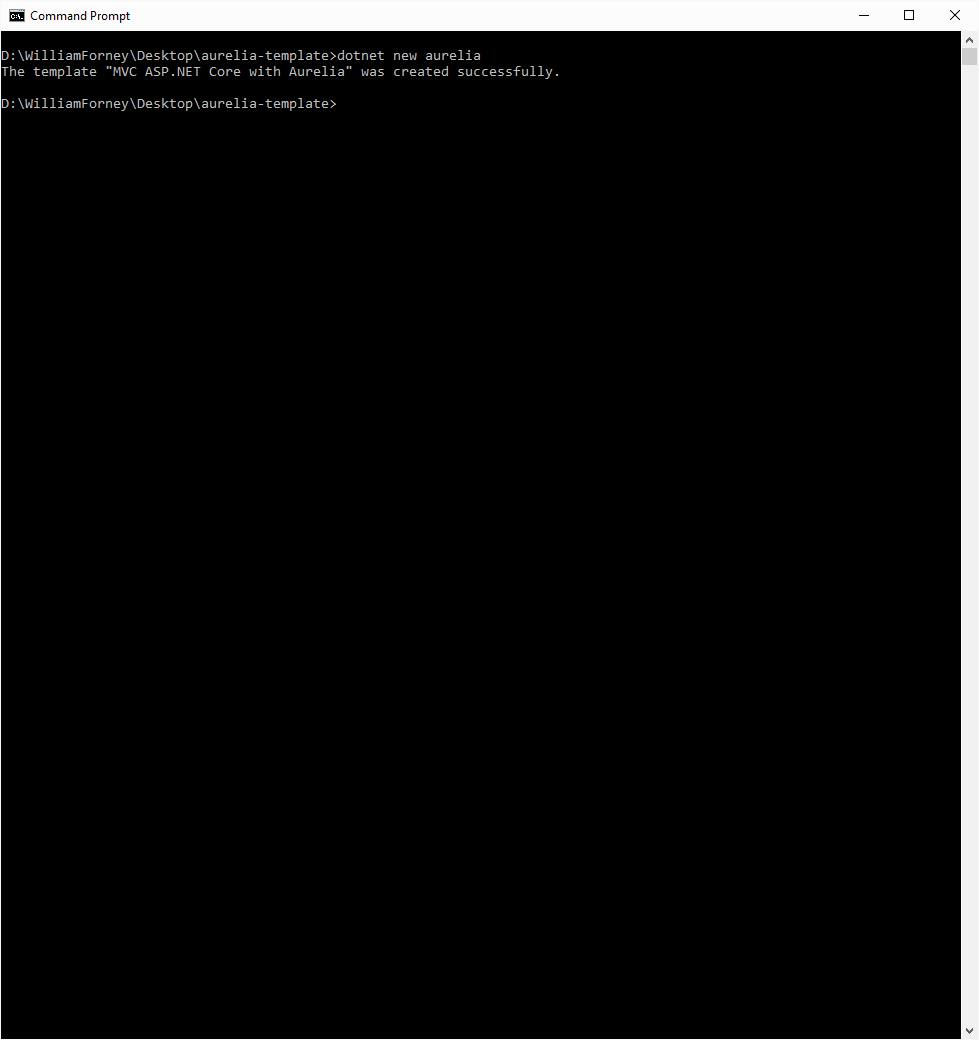
<p><img src="/assets/img/posts/aurelia-step3.png" alt="screenshot" /></p>

<ol>
  <li>
    <p>Create the Aurelia project like this:</p>

    <div class="language-plaintext highlighter-rouge"><div class="highlight"><pre class="highlight"><code><table class="rouge-table"><tbody><tr><td class="rouge-gutter gl"><pre class="lineno">1
</pre></td><td class="rouge-code"><pre>dotnet new Aurelia 
</pre></td></tr></tbody></table></code></pre></div>    </div>
  </li>
</ol>

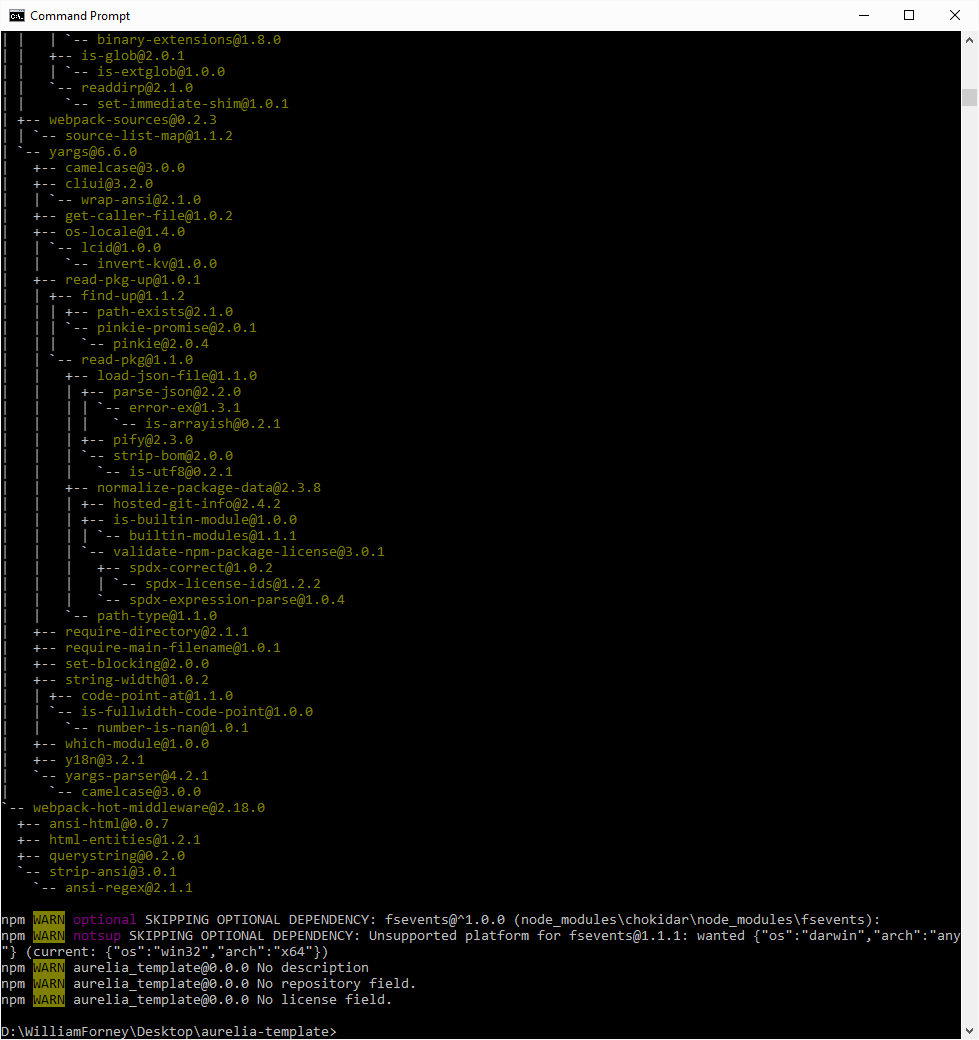
<p><img src="/assets/img/posts/aurelia-step4.png" alt="screenshot" /></p>

<ol>
  <li>
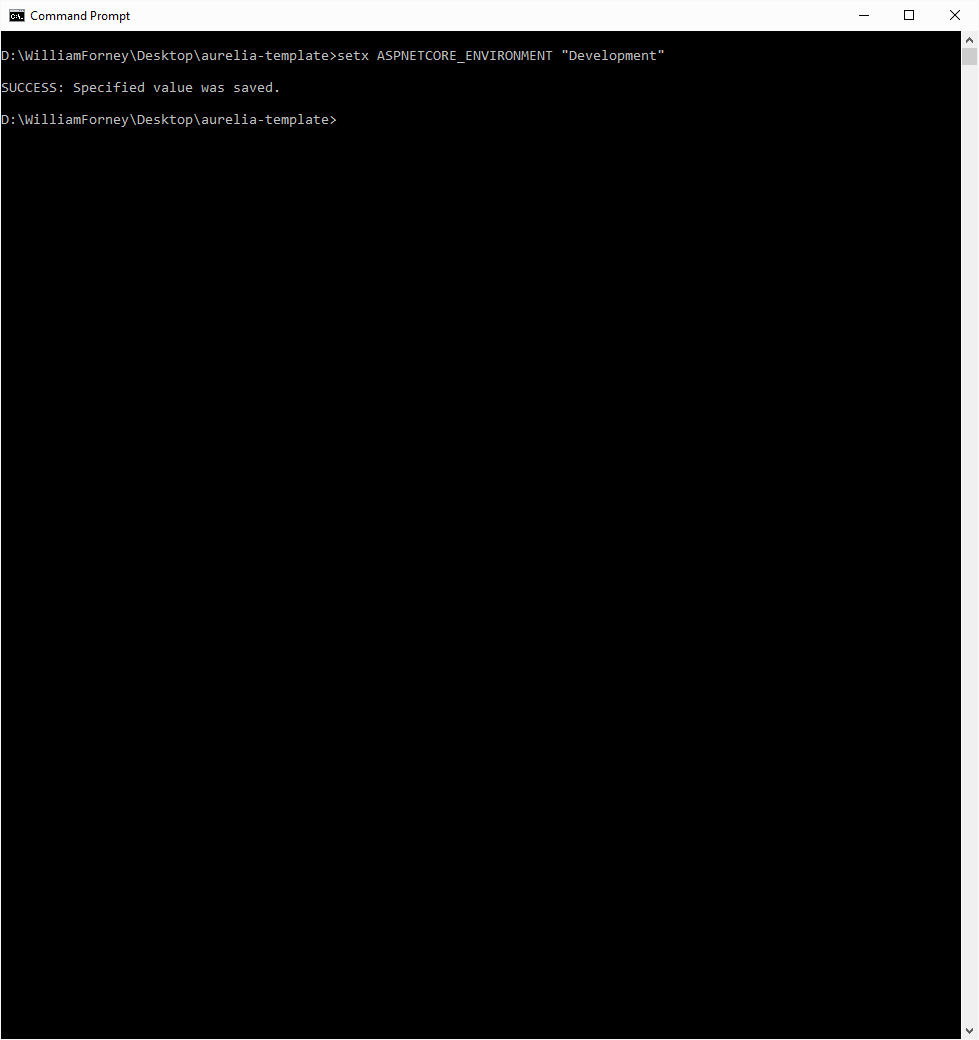
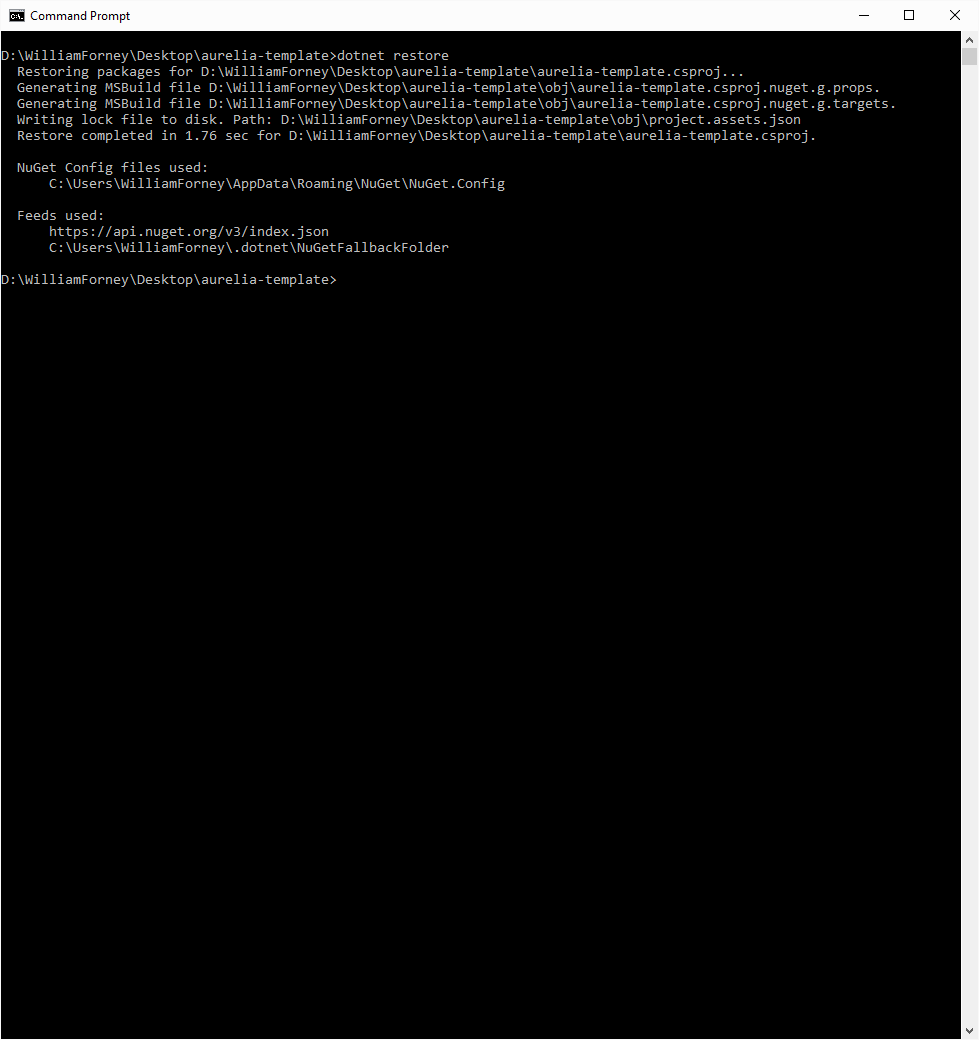
    <p>Prepare the environment to run using these commands, ignoring any warnings from npm as they are expected…</p>

    <div class="language-plaintext highlighter-rouge"><div class="highlight"><pre class="highlight"><code><table class="rouge-table"><tbody><tr><td class="rouge-gutter gl"><pre class="lineno">1
2
3
</pre></td><td class="rouge-code"><pre>dotnet restore
npm install
setx ASPNETCORE_ENVIRONMENT "Development"
</pre></td></tr></tbody></table></code></pre></div>    </div>
  </li>
</ol>

<p><img src="/assets/img/posts/aurelia-step5a.png" alt="screenshot" />
<img src="/assets/img/posts/aurelia-step5b.png" alt="screenshot" />
<img src="/assets/img/posts/aurelia-step5c.png" alt="screenshot" /></p>

<ol>
  <li>Restart your command prompt to ensure that the environment change takes effect.</li>
  <li>
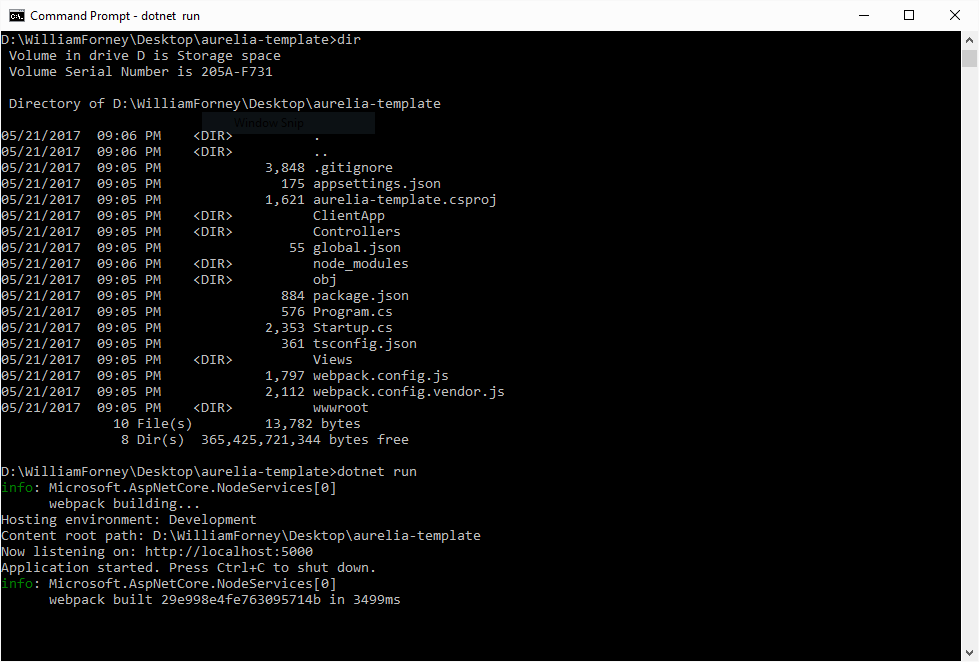
    <p>Run your new app with the command line</p>

    <div class="language-plaintext highlighter-rouge"><div class="highlight"><pre class="highlight"><code><table class="rouge-table"><tbody><tr><td class="rouge-gutter gl"><pre class="lineno">1
</pre></td><td class="rouge-code"><pre>dotnet run
</pre></td></tr></tbody></table></code></pre></div>    </div>
  </li>
</ol>

<p><img src="/assets/img/posts/aurelia-step7.png" alt="screenshot" /></p>

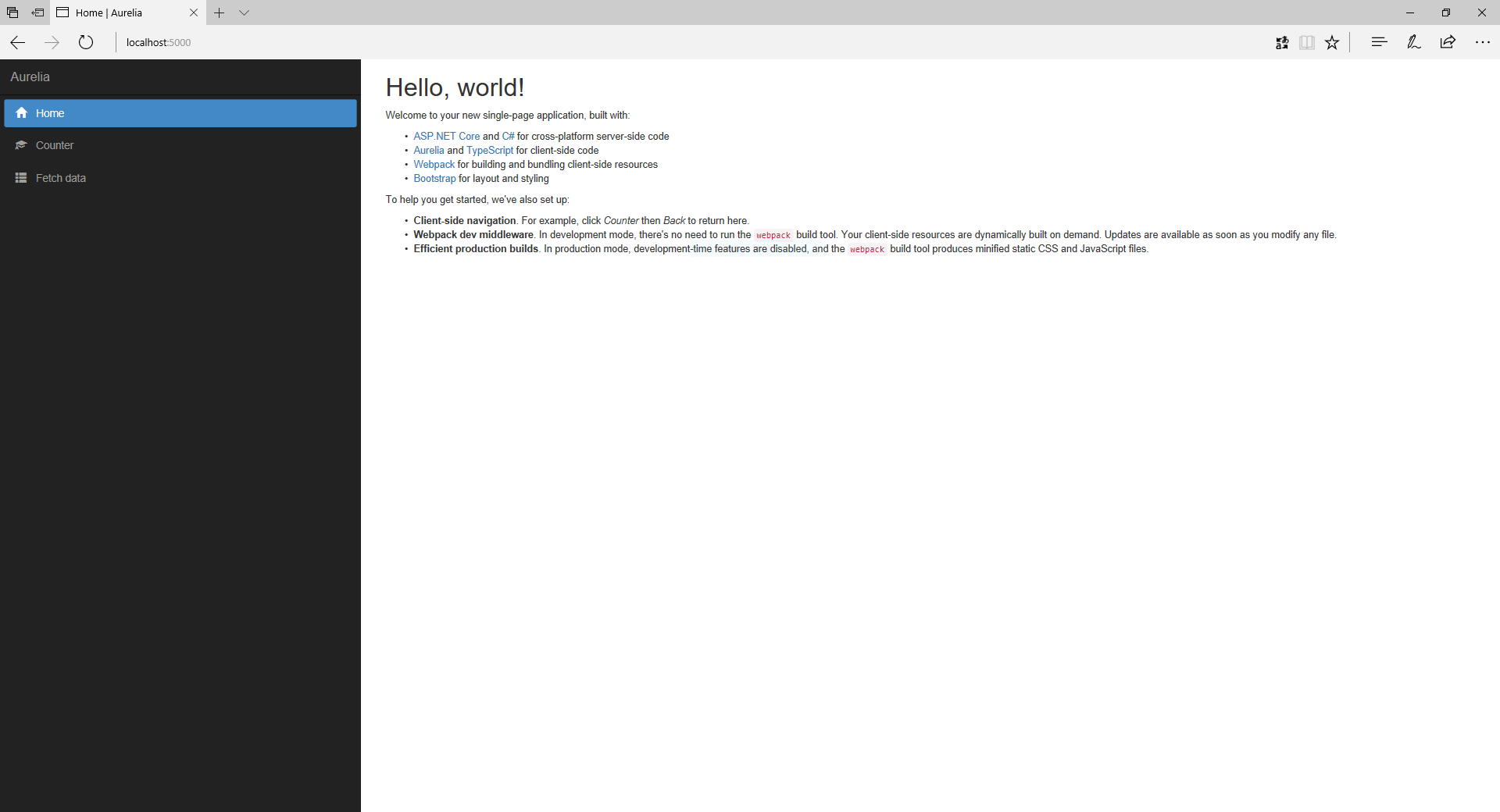
<p>These steps should give you a bare bones ASP.NET Core site with a basic Aurelia setup that looks like this…</p>

<p><img src="/assets/img/posts/aurelia-finish.png" alt="screenshot" /></p>

<h2 id="publishing-to-a-host">Publishing to a Host</h2>

<p>Now that you have a working site you’ll want to publish it to an actual server somewhere. To do that you’ll perform a publish. You can do this by running this command:</p>

<div class="language-plaintext highlighter-rouge"><div class="highlight"><pre class="highlight"><code><table class="rouge-table"><tbody><tr><td class="rouge-gutter gl"><pre class="lineno">1
</pre></td><td class="rouge-code"><pre>dotnet publish -c Release
</pre></td></tr></tbody></table></code></pre></div></div>

<p>This command compiles the server side C# code and runs a <a href="https://webpack.js.org/">webpack</a> production build on the TypeScript and client assets. You can then find the files to upload to your host in the <strong><em>bin\Release\netcoreapp1.1\publish</em></strong> folder.</p>

<h2 id="exploring-the-template">Exploring the Template</h2>

<p>This template takes care of a lot of things that you would have to setup manually and makes a good starting point for adding more functionality, such as logging with Application Insights or another logging provider, fleshing out an administration interface for user management and authentication/authorization using <a href="https://identityserver.io/">IdentityServer</a>, or any number of other useful additions that are widely available.</p>

<p>To get started understanding what we’ve got here, you’ll want to take a look into the files in your new project. You’ll notice that in Startup.cs we have setup a fallback route that allows anything not dealt with by a static file or MVC route to be sent to the Home Index view. This is the secret sauce that lets all your links work even though they aren’t configured individually.</p>

<div class="language-plaintext highlighter-rouge"><div class="highlight"><pre class="highlight"><code><table class="rouge-table"><tbody><tr><td class="rouge-gutter gl"><pre class="lineno">1
2
3
</pre></td><td class="rouge-code"><pre>routes.MapSpaFallbackRoute(
name: "spa-fallback",
defaults: new { controller = "Home", action = "Index" });
</pre></td></tr></tbody></table></code></pre></div></div>

<p>To be continued…</p>]]></content><author><name></name></author><category term="Computers and Internet" /><category term="Development" /><category term="ASP.NET Core" /><category term="Aurelia" /><category term="TypeScript" /><category term="SPA" /><category term="ASP.NET" /><summary type="html"><![CDATA[Aurelia, one of the leading JavaScript client frameworks for single page applications (SPAs), has been around for a while now and there are a number of resources for getting started with it. Rather than try to make yet another demo, I thought it might be fun to create a site repository that could be used as a template with a few more bells and whistles already setup. It is my hope that this will be useful not just to me, but to anyone else who wants to start a project. We’re going to use the command line tools to do this, but you can use Visual Studio if you want as well.]]></summary></entry><entry><title type="html">Aurelia with TypeScript on ASP.NET Core</title><link href="https://wforney.github.io/2016/03/08/aurelia-with-typescript-on-asp-net-core/" rel="alternate" type="text/html" title="Aurelia with TypeScript on ASP.NET Core" /><published>2016-03-08T00:00:00-08:00</published><updated>2016-03-08T00:00:00-08:00</updated><id>https://wforney.github.io/2016/03/08/aurelia-with-typescript-on-asp-net-core</id><content type="html" xml:base="https://wforney.github.io/2016/03/08/aurelia-with-typescript-on-asp-net-core/"><![CDATA[<p>I’ve been tracking the <a href="https://docs.asp.net/en/latest/" title="ASP.NET documentation">ASP.NET</a> betas and release candidates over the past year or more and it’s coming along nicely. I like the separation of client side and server side in the new folder structure and the unification of the <a href="https://docs.asp.net/en/latest/mvc/index.html">ASP.NET MVC</a> and WebAPI controllers. For the past few years I’ve used <a href="http://www.jsviews.com/">jsViews</a>, <a href="http://www.telerik.com/kendo-ui">Kendo UI</a>, <a href="https://angular.io/">Angular</a>, <a href="http://durandaljs.com/">Durandal</a>, <a href="http://knockoutjs.com/">Knockout</a>, and <a href="http://aurelia.io/">Aurelia</a> for front end JavaScript development.</p>

<p>A while ago I was using TypeScript with these to help with intellisense and typing issues across the libraries and sites I worked on. I often find myself introducing whatever team I’m on to these technologies in one way or another. I’ve been working with the combination of ASP.NET Core, formerly ASP.NET 5, and Aurelia with TypeScript and Web Components.</p>

<p>I start with the yoeman generator for ASP.NET and add the pieces as I go. I use ASP.NET MVC for the API and plain old HTML and TypeScript for the UI. The client tool chain consists of the usual npm, jspm, and gulp. When the new ASP.NET bits are done I’ll make a template for all this and post it to github. In the meantime I’m considering doing a short video or slide deck walking through the setup if anyone is interested.</p>]]></content><author><name></name></author><category term="Computers and Internet" /><category term="Development" /><category term="ASP.NET" /><summary type="html"><![CDATA[I’ve been tracking the ASP.NET betas and release candidates over the past year or more and it’s coming along nicely. I like the separation of client side and server side in the new folder structure and the unification of the ASP.NET MVC and WebAPI controllers. For the past few years I’ve used jsViews, Kendo UI, Angular, Durandal, Knockout, and Aurelia for front end JavaScript development.]]></summary></entry><entry><title type="html">Something different, something new, something blue</title><link href="https://wforney.github.io/2015/11/08/something-different-something-new-something-blue/" rel="alternate" type="text/html" title="Something different, something new, something blue" /><published>2015-11-08T00:00:00-08:00</published><updated>2015-11-08T00:00:00-08:00</updated><id>https://wforney.github.io/2015/11/08/something-different-something-new-something-blue</id><content type="html" xml:base="https://wforney.github.io/2015/11/08/something-different-something-new-something-blue/"><![CDATA[<p>Amusingly today I’m looking at new cars, hence the blue and new, but that’s not all that’s going on. Today I am starting something new that will change hopefully not just my perception of the world, but others as well. It’s time for change. Let’s do this.</p>]]></content><author><name></name></author><category term="Planes, Trains &amp; Automobiles" /><category term="different" /><category term="new window" /><category term="blue" /><category term="change" /><category term="winds of change" /><category term="world" /><category term="perception" /><summary type="html"><![CDATA[Amusingly today I’m looking at new cars, hence the blue and new, but that’s not all that’s going on. Today I am starting something new that will change hopefully not just my perception of the world, but others as well. It’s time for change. Let’s do this.]]></summary></entry><entry><title type="html">How to open a “new window” in a Windows 10 Universal App</title><link href="https://wforney.github.io/2015/08/13/how-to-open-a-new-window-in-a-windows-10-universal-app/" rel="alternate" type="text/html" title="How to open a “new window” in a Windows 10 Universal App" /><published>2015-08-13T00:00:00-07:00</published><updated>2015-08-13T00:00:00-07:00</updated><id>https://wforney.github.io/2015/08/13/how-to-open-a-new-window-in-a-windows-10-universal-app</id><content type="html" xml:base="https://wforney.github.io/2015/08/13/how-to-open-a-new-window-in-a-windows-10-universal-app/"><![CDATA[<p>I had to dig a little bit to find this. Since not all form factors support multiple windows and tablet mode generally discourages floating windows this is probably buried for a reason, but I wanted to do it anyway so here it is:</p>

<div class="language-plaintext highlighter-rouge"><div class="highlight"><pre class="highlight"><code><table class="rouge-table"><tbody><tr><td class="rouge-gutter gl"><pre class="lineno">1
2
3
4
5
6
7
8
9
10
11
12
13
14
15
16
17
18
19
20
21
22
</pre></td><td class="rouge-code"><pre> var viewId = 0;

 var newView = CoreApplication.CreateNewView();
await newView.Dispatcher.RunAsync(
CoreDispatcherPriority.Normal,
() =&gt;
{
var frame = new Frame();
frame.Navigate(typeof(YourViewPageType), ViewModelDataOrNull);
Window.Current.Content = frame;


viewId = ApplicationView.GetForCurrentView().Id;

ApplicationView.GetForCurrentView().Consolidated += App.ViewConsolidated;

Window.Current.Activate();
});

var viewShown = await ApplicationViewSwitcher.TryShowAsStandaloneAsync(viewId);
</pre></td></tr></tbody></table></code></pre></div></div>

<p>Hopefully that will save someone some digging.</p>]]></content><author><name></name></author><category term="Computers and Internet" /><category term="Development" /><category term="Windows 10" /><category term="Universal Apps" /><category term="new window" /><category term="UWP" /><summary type="html"><![CDATA[I had to dig a little bit to find this. Since not all form factors support multiple windows and tablet mode generally discourages floating windows this is probably buried for a reason, but I wanted to do it anyway so here it is: 1 2 3 4 5 6 7 8 9 10 11 12 13 14 15 16 17 18 19 20 21 22 var viewId = 0; var newView = CoreApplication.CreateNewView(); await newView.Dispatcher.RunAsync( CoreDispatcherPriority.Normal, () =&gt; { var frame = new Frame(); frame.Navigate(typeof(YourViewPageType), ViewModelDataOrNull); Window.Current.Content = frame; viewId = ApplicationView.GetForCurrentView().Id; ApplicationView.GetForCurrentView().Consolidated += App.ViewConsolidated; Window.Current.Activate(); }); var viewShown = await ApplicationViewSwitcher.TryShowAsStandaloneAsync(viewId);]]></summary></entry></feed>